Every piece of paper a wedding needs, as one website.
Couples still think in invitations, reply cards, menus and place cards. WedKit keeps that suite and puts each piece online, where you can see every reply as it arrives.
The stationery suite, and what each piece becomes
Five printed pieces, five parts of WedKit.
Together with their families
Amélie & Jonah
invite you to celebrate their wedding
Saturday, June 13, 2026
Four o'clock in the afternoon
Kingston, Ontario
Kindly reply by May 1
Dinner
To start
Chilled pea soup
Main
Seared salmon, braised short rib or wild mushroom risotto
Dessert
Lemon tart
Mira Patel
Table 4
Amélie & Jonah
Sophie Chen and family
118 Maple Avenue
Toronto, Ontario
The invitation
Your wedding website
The invitation gives the date and the place. Your site holds the rest: schedule, venues, FAQs and registry links, in English, French or Spanish, at wedkit.ca/w/your-names.
The reply card
RSVPs and plus-ones
Guests reply with the code on their invitation, or by finding their name if you turn that on. They answer for everyone in their party, add a plus-one when you allow one, and fill in your own questions. Each reply lands in your guest list right away.
The menu card
Meal choices and dietary notes
Set up each course and its options. Guests choose for themselves and their plus-one and note allergies or restrictions. You see the count for every option.
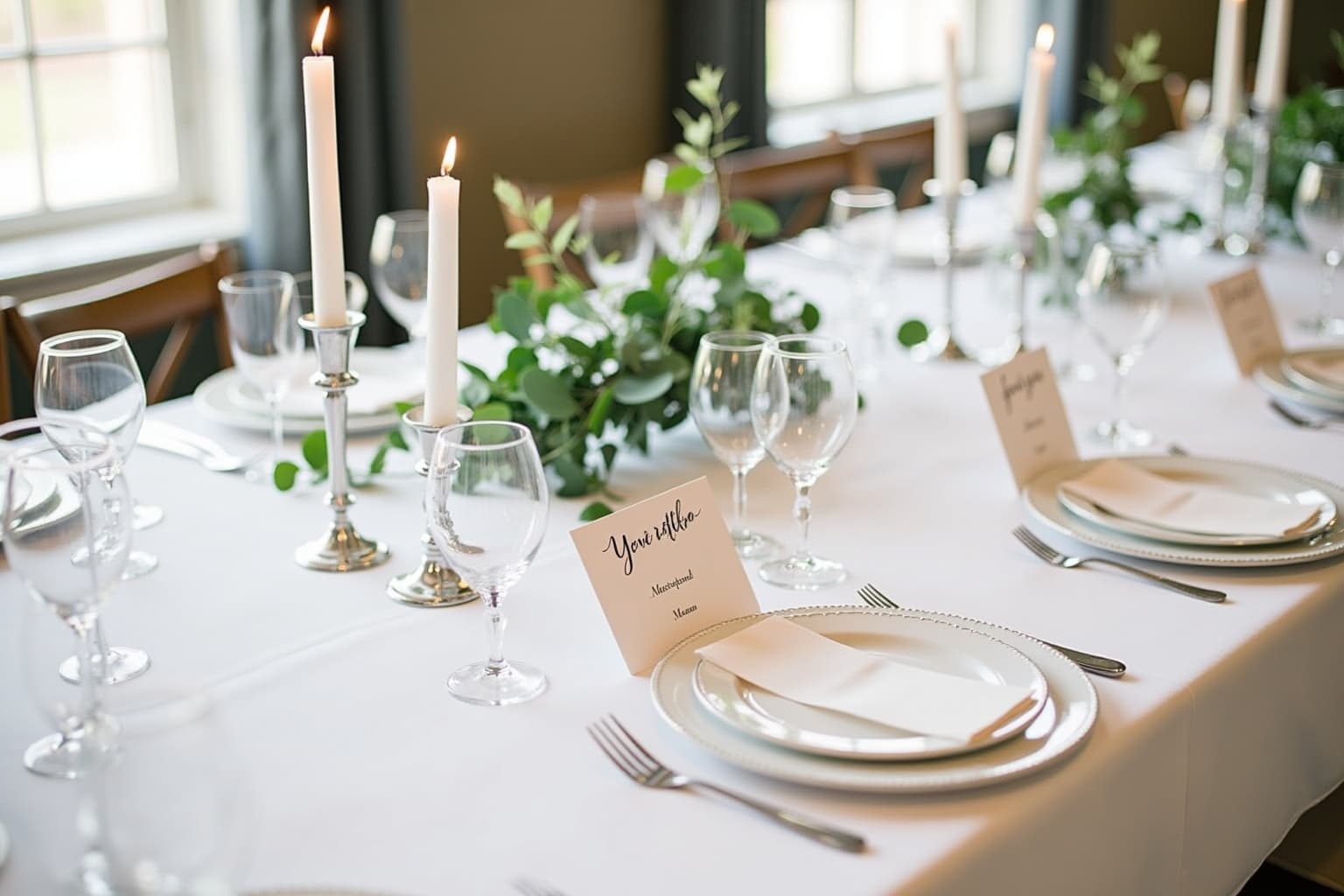
The place card
Seating
Drag guests onto tables, or start from a suggested plan. Guests look up their table on your site.
The envelope
Email and text messages
Send save-the-dates, invitations, reminders, meal requests and seating details by email. Guests who opt in when they RSVP can also get reminders and updates by text. Each send shows what was delivered and what bounced.
From engagement to the last photo
What you do at each point, and what your guests see when you do it.
About a year out
Design the site and send save-the-dates
- Pick one of six art directions (Verso, Otto, Sienna, Onyx, Garden or Riviera), then change the hero layout, the sections and the type pairing. The 11 hero layouts include an invitation card, a magazine cover, a postcard and a boarding pass, and signature animations switch on or off.
- Publish at your WedKit address or on a domain you own, and share the link.
- Send a save-the-date by email. It can ask guests whether they expect to come before the formal invitation goes out.
wedkit.ca/w/amelie-jonahArt direction
Published- Verso
- Otto
- Sienna
- Onyx
- Garden
- Riviera
- Hero layout
- Magazine cover
- Type pairing
- Instrument Serif / Geist
- Save-the-date
- On, collecting early replies
About four months out
Import your list and send invitations
- Import guests from a CSV file or add them one at a time, then group couples and families into a party.
- Each party gets its own invitation code.
- Send invitations by email and see who has opened their link.
Amélie & Jonah
You're invited to our wedding
Amélie & Jonah
Dear Sophie,
We'd love for you to join us on Saturday, June 13, 2026 in Kingston. Please reply by May 1.
View invitation and replyGuests
Send invitationsName Reply Opened Emma Thompson Attending Yes Sophie Chen No reply Yes Oliver Brown Attending Yes Mia Rodriguez Declined Yes James Wilson No reply Not yet Six weeks out
Chase replies and collect meal choices
- Send a reminder that goes only to guests who haven't replied.
- Ask attending guests to choose their meal, and send a meal reminder as the date gets close.
- Show a reply-by date on your site.
wedkit.ca/w/amelie-jonahChoose your meal
For Sophie Chen
Allergies or restrictions
No shellfishSave my choiceMain course
Send meal reminder- Seared salmon41
- Braised short rib36
- Wild mushroom risotto19
Dietary notes
- Sophie ChenNo shellfish
- Oliver BrownGluten-free
Two weeks out
Seat everyone and give the caterer numbers
- Drag guests onto tables, or start from a suggested plan and adjust it.
- Send attending guests a link to find their table.
- Export a CSV with each guest's table, meal choices and dietary notes for your caterer and venue.
wedkit.ca/w/amelie-jonahFind your table
Your name
MiraMira Patel
Table 4
With Emma Thompson, James Wilson and Oliver Brown
Suggest a planExport CSVTable 3 3/8
- Sophie Chen
- Liam Chen
- Ava Martin
Table 4 4/8
- Mira Patel
- Emma Thompson
- James Wilson
- Oliver Brown
Table 5 2/8
- Noah Tremblay
- Chloé Roy
Not seatedEthan GagnonAfter the wedding
Collect the photos your guests took
Coming soon- Guests scan a QR code and upload photos from their phones.
- Photos are screened automatically. Anything uncertain waits for you to approve it.
- Download every photo in one ZIP file.
- Your site stays online after the wedding, with no expiry date.
wedkit.ca/w/amelie-jonahShare your photos
Add the photos you took today so everyone can enjoy them.
Your name (optional)
SophieAdd photos
2 photos added
Guest photos
Download allSophieApproved LiamNeeds reviewApproveReject
Also included
- Claude and ChatGPT
- Connect your wedding to Claude or ChatGPT, then ask who hasn't replied or tell it to add a guest. Changes show up on your site right away.
- AI guest assistant
- Answers guest questions using the details on your site. Turn it off at any time.
- Password protection
- Keep the site private to people who have the password.
- Your own domain
- Put the site on a domain you already own, like alexandsam.com. Links you've already sent keep working.
- English, French and Spanish
- Set the site language, give each guest a language, and send each email in one language or several, one after the other.
- Co-admins
- Invite a partner or planner to manage the wedding with you.
- Vendor access
- Invite your vendors to see what they need: meal counts and dietary needs for the caterer, the schedule for the photographer. Access ends on its own after the wedding.
- Design history
- Every design change is saved, so you can go back to an earlier version.
- Planning checklist
- A checklist organized by timeline that you can edit and tick off.
Planning weddings for clients? WedKit for planners puts all of them in one dashboard. See WedKit for planners
Build your site before you pay for it.
Set up the design, import your guests and try a send. Pay once when you're ready to go live.
No credit card required · 7-day free trial